
1. How do I find Affluent Vaults in the “Earn” section?
Open TON Wallet (How to Use the TON Wallet)
Tap Earn (bottom-right in the menu)
Select any Affluent product you see, for example:
USDT Earn
Gold Earn (XAUt)
More vaults coming soon
You will now see the vault’s details and the deposit button.

2. How to Use Affluent Vaults?
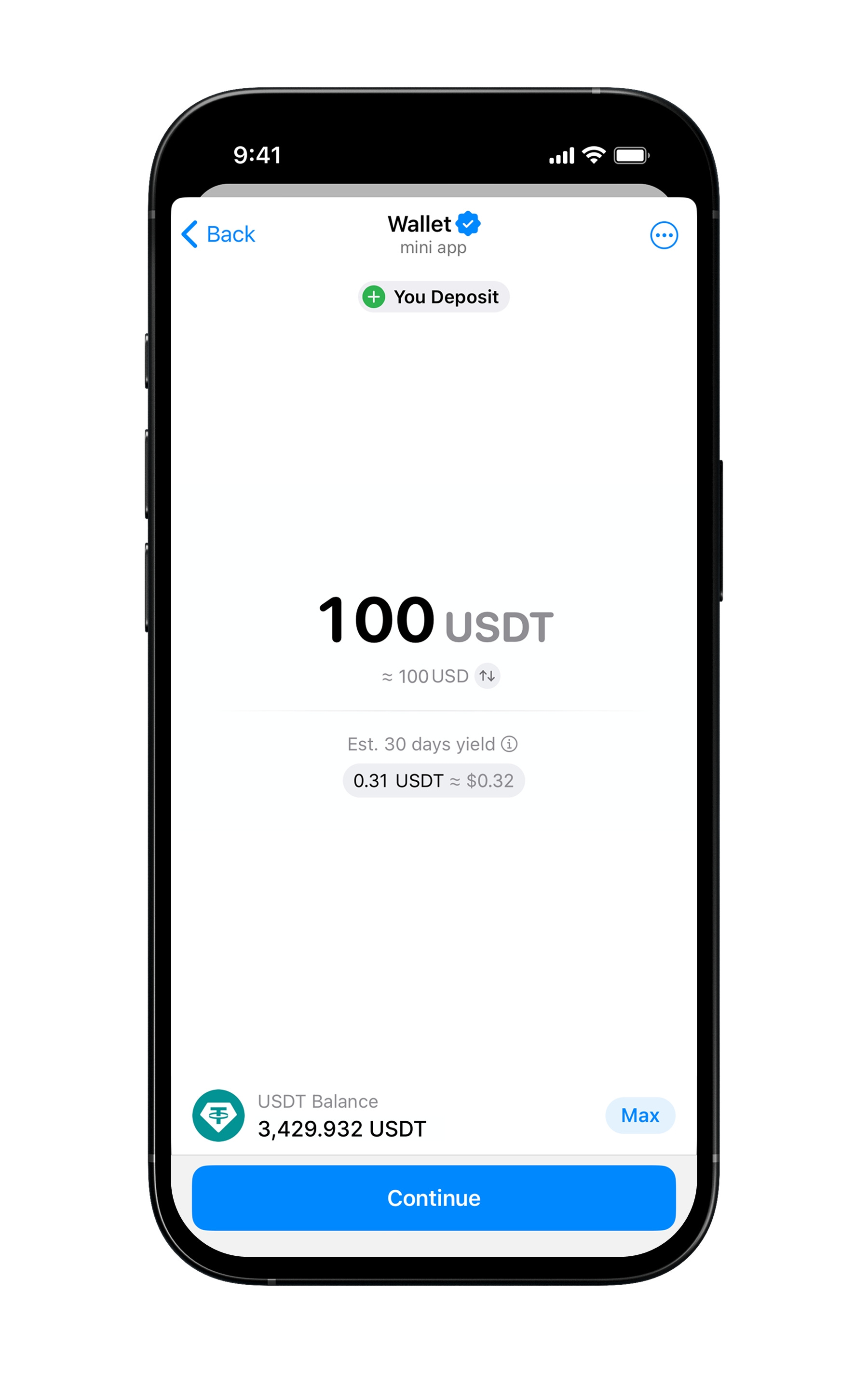
Deposit:
Choose the vault you want to use
Tap Deposit
Type in the amount you want to add
Confirm the transaction inside the TON Wallet
Your funds are now safely stored in Affluent’s Vault and start earning yield seamlessly.
Checking Balance:
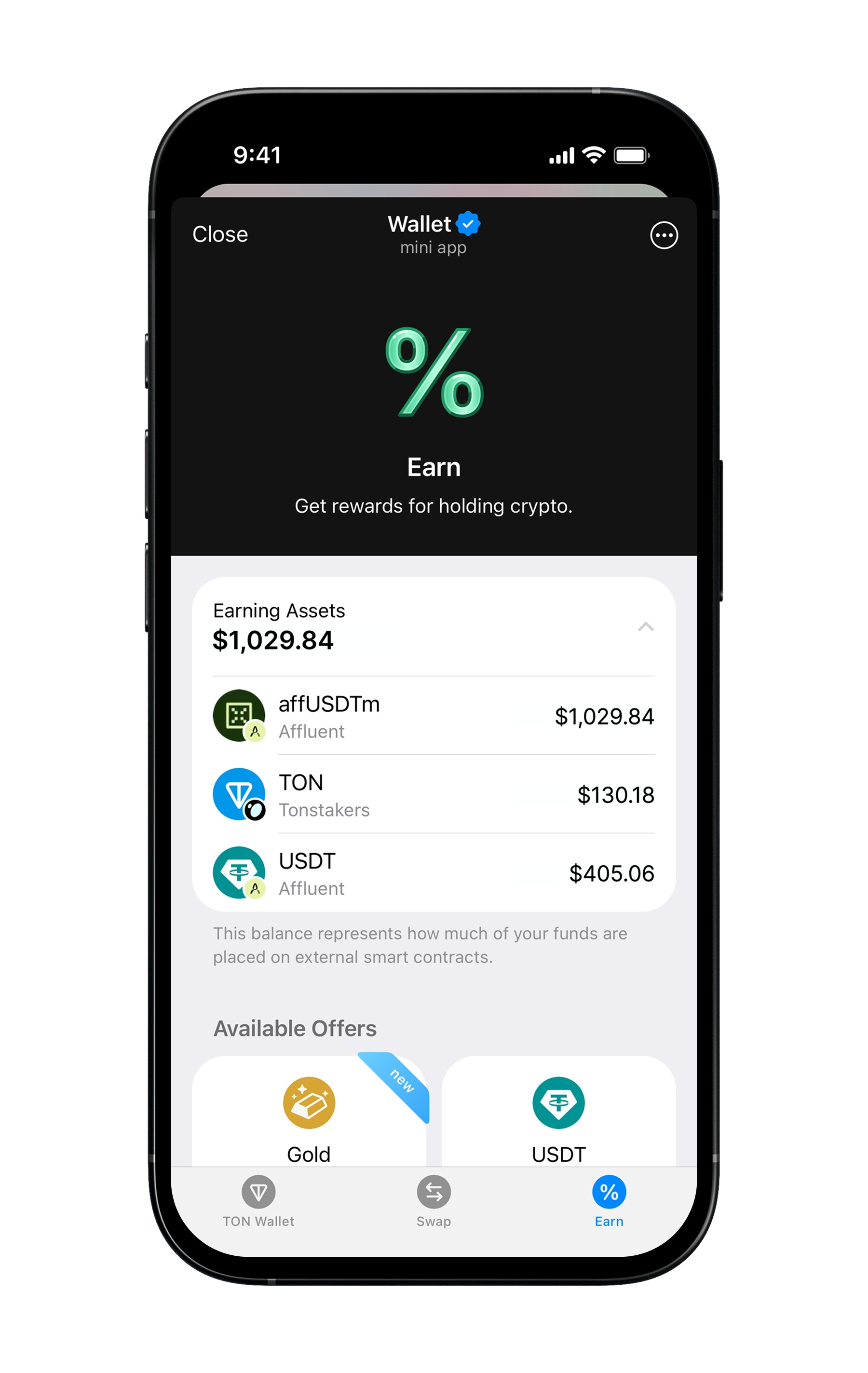
Tap Earning Assets in the TON Wallet “Earning” Section
You will see:
Your deposited assets
Current balance (generated yields are included)
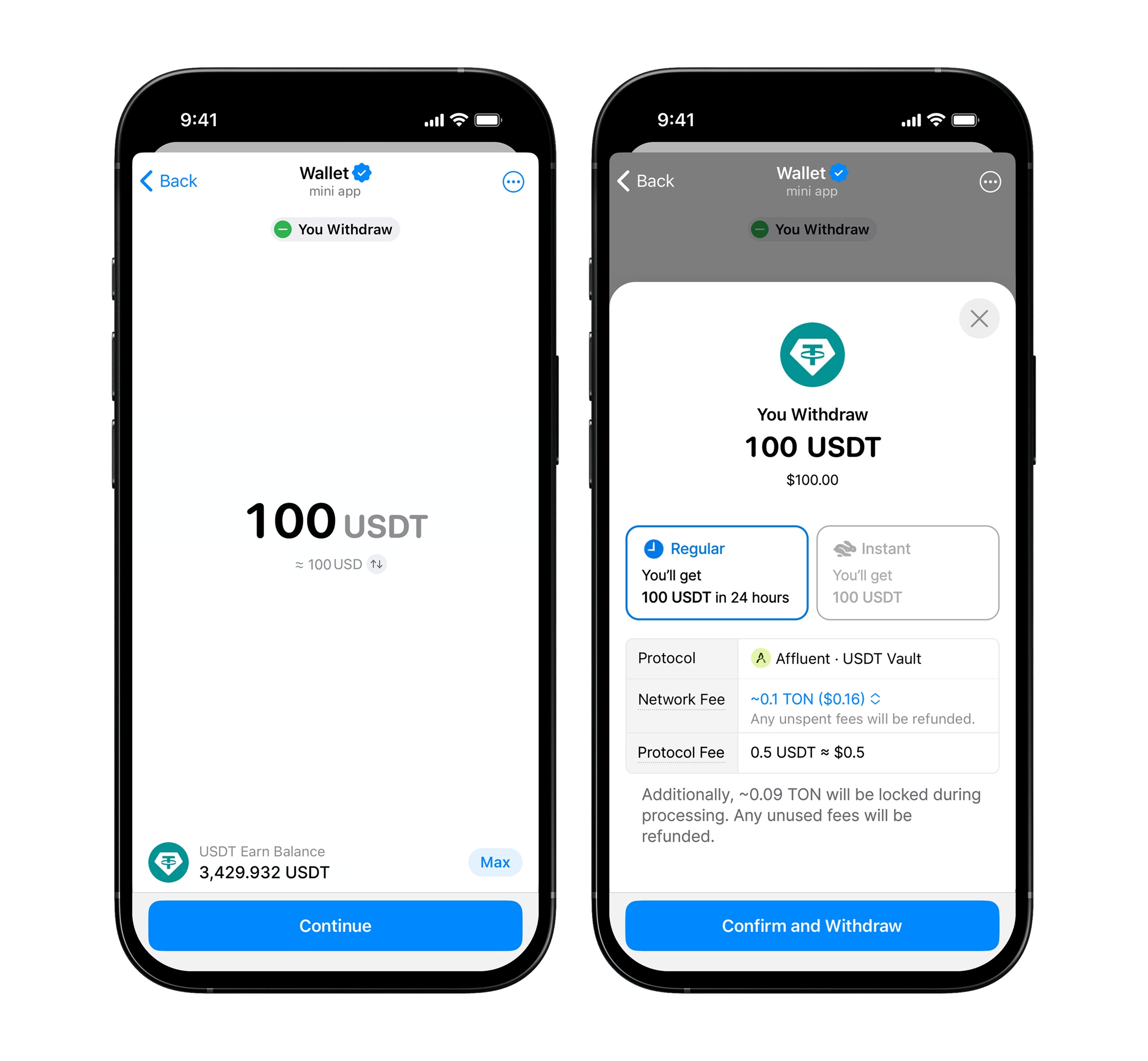
Withdraw:
Select the vault you deposited into (USDT, Gold)
Tap Withdraw
Enter the amount
Withdrawal types:
Instant Withdrawal: Enter the desired amount & confirm the transaction, and receive assets instantly
Regular Withdrawal: If the desired withdrawal amount is higher than the Vault’s reserve amount, your withdrawal will be settled within 24 hours
Earn (Telegram Wallet) | Website | App | X | Telegram (Announcement) | Telegram (Community) | Docs | Blog | Linkedin |